YouBuild : AI & Robotics Lego Club
Build robots. Write code. Train your own AI.
An AI & coding programme for KS2 children, built around the official LEGO® Education curriculum. The full depth adapted to work for every kind of learner.Pilot launching Autumn 2026. First cohort: Year 3-4 (ages 7-9).✔️ Official LEGO® Education kits✔️ Small groups✔️ Privacy-safe AIThis short form takes about 3 minutes. It helps us understand who's interested, what families are looking for, and how to design the pilot.There's no commitment, we'll be in touch in late summer with full details. It helps us understand who's interested, what families are looking for, and how to design the pilot.
Children today are surrounded by smart technology: voice assistants, recommendation algorithms, image filters, chatbots. They're far more comfortable with it than most adults realise.What they're often missing isn't capability. It's a place to build, experiment and understand how this technology actually works with their hands, alongside other curious children, with no pressure to be the fastest or the loudest.That's what YouBuild does properly, not in passing.
A 60-minute hands-on session, every week
Across 8 weeks your child will:✔️ Build and debug working models with motors and sensors, using the LEGO® Education kit✔️ Programme them using a child-friendly block-based coding app✔️ Train and test their own AI classifiers teaching the computer to recognise things, the way real AI engineers do✔️ Master the foundations of programming: events, loops, conditionals, variables, data✔️ Test, fail, fix and improve: one of the most valuable skills there isBy the end, children can explain the difference between programmed behaviour and trained behaviour and demonstrate both. No previous coding experience needed.
How we make this work
Calling a club "inclusive" is easy. What we actually do is concrete. Six design choices, built into every session:✔️ Predictable structure: every session follows the same shape (welcome → build → code → test → showcase → pack down). Children know what's coming. No surprises.✔️ Defined roles, rotating each week: every child takes turns as builder, coder, tester and presenter. No one dominates. No one disappears.✔️ No competition: no leaderboards, no winners, no "first to finish". Children compare their work to where they were last week, not to their classmates.✔️ Hands-on first, abstract later: children build the thing before we name the concept. Vocabulary follows experience.✔️ Calm sensory environment: no background music during work, no loud announcements. Lights low. Voices steady.✔️ Distributed adult attention: the facilitator actively scans for the quiet child who hasn't spoken in 15 minutes, not just the one waving for help.The content is the same as any serious coding programme. What's different is how the room runs.
We use the official LEGO® Education Computer Science & AI Kit
This isn't a hobby club using LEGO bricks. It's a curriculum-grade coding and AI programme, using the same LEGO® Education kit and learning structure that schools use internationally.Each kit includes a motor, a colour sensor, hundreds of bricks, and access to the LEGO® Education Coding Canvas: a block-based coding app designed for children, that grows with them as they progress.✔️ Basics: how computers think, and how to break a problem down✔️ Events: making things happen when something else happens✔️ Loops: getting computers to repeat smart sequences✔️ Conditionals: teaching code to make decisions✔️ Variables: storing and using data✔️ AI & Data: training real AI classifiers using a built-in safe AI featureBy the end of the programme, children won't just have used AI. They'll have built it, trained it, and seen it work.
AI learning, designed to be safe
We understand parents are thoughtful about AI safety. So is LEGO® Education. The kit's AI features were designed specifically for children, with privacy built in:✔️ No child logins or accounts: children don't need to register or sign in✔️ No personal data collected: by LEGO Education or any third party✔️ AI runs locally on the device: images aren't uploaded or stored anywhere✔️ Camera-based AI features never save imagesIt's one of the few hands-on AI tools we genuinely trust around an 8-year-old. That's why we chose it.
Who YouBuild is for
YouBuild is for any KS2 child curious about AI, coding and robotics and, passionate about LEGO.The curriculum is the same full LEGO® Education programme used in schools internationally so confident, tech-loving children will be properly stretched.But the format is designed to work especially well for three groups that other clubs often underserve.
🧠 Children who learn differently
Predictable structure. Calm sensory environment. Hands-on building before abstract concepts. Small teams with defined roles. Time to think rather than time to race.The format isn't a watered-down version of the content. It's a different way of delivering the same rigorous programme designed for children whose minds work brilliantly, just not always in standard classrooms.
👧 Girls in STEM
Girls don't need a gentler version of coding. They need a room where they aren't talked over, dismissed, or quietly assumed to be less technical.Role rotation across the team means every child does every job: builder, coder, tester, presenter - at least twice. No child fades into the background. No child takes over the keyboard. By the end of the programme, every kid in the room has written real code, trained a real AI model, and presented her own technical work.
✨ Children new to STEM
A child who hasn't coded before isn't behind. They're at the start.The LEGO® Education curriculum is designed for first-timers: visual blocks rather than typed code, demonstrations rather than dense instructions, and a structure that builds confidence as quickly as it builds knowledge. By week 4, beginners are writing programmes with loops and conditionals. By week 8, they're training their own AI classifiers.Curiosity is the only prerequisite.And yes - if your child is already confident with technology, this club is for them too. The content is genuinely challenging. The adaptations don't slow it down; they give every child the conditions they need to engage fully.
About the club founder
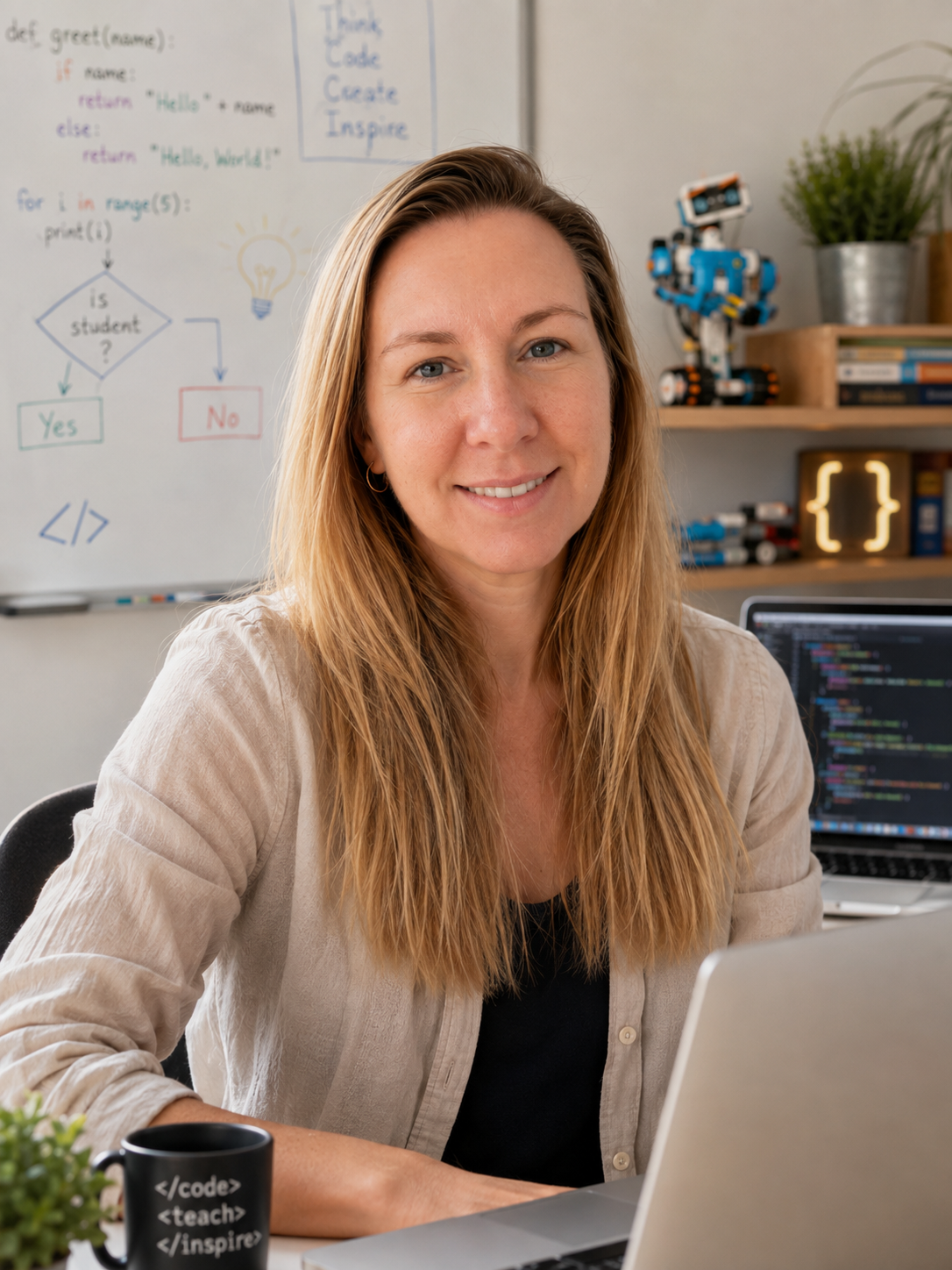
YouBuild is led by Nonna Shakhova - a technology professional and AI educator with prior experience teaching coding and machine learning to teenagers. Students from her previous programmes have built and shipped real projects.She holds a leadership role in the Women Coding Community, is a Google Women Techmakers Ambassador, and has been invited to speak at events like Microsoft for Girls, Women in Data Science, etc. Work she's done for years to make sure technology spaces include the people they've historically left out.She’s also a parent in this school community, and the parent of a highly sensitive child. She understands that curious, capable young learners simply need an environment that supports them.
Frequently asked questions
> My child has never coded before. Will they be okay?
Absolutely. The whole programme is designed for first-timers. Children start with simple builds and work up gradually. The coding app uses visual blocks, not typing, so reading and writing speed isn't a barrier.> How much screen time is involved?
Less than you might expect. Most of each session is spent building, testing and discussing in small teams. Children only use a device (one shared between four pupils) when they're actively coding their model.> Is this a competitive club?
No. There are no leaderboards, no winners, no "first to finish" pressure. Children work in small collaborative teams.> My child is quiet, sensitive, or neurodivergent. Would this suit them?
Quite possibly yes, this is exactly the kind of child the club is being designed with in mind. Calm room, predictable structure, hands-on focus, small group. If you'd like to talk before signing up, we'd welcome the conversation.> What about girls in STEM?
Girls are very welcome and intentionally encouraged. The club leader is a long-standing women-in-tech advocate and runs the room with that lens throughout.> What if my child decides it's not for them after a few sessions?
That's completely fine. We'd rather know early. We'll discuss refund and credit arrangements transparently with everyone who registers.> Will my child need any equipment at home?
No. All LEGO® Education kits, devices and software are provided.> When does registration open?
We're currently gathering expressions of interest. Once we have a clear picture of demand, we'll open registration to interested families first.> My child is already confident with coding. Will this be challenging enough?
Yes. The LEGO® Education Computer Science & AI curriculum is genuinely demanding: children debug their own programs, train custom AI classifiers, and present technical work at the end of the programme. We adapt how the room runs to suit different learners, not what we teach. Confident children will be stretched.
Would your child enjoy YouBuild?
Your details will only be used to contact you about the Autumn 2026 pilot. They won't be shared with anyone else and you can ask us to delete them at any time by emailing [email protected].
This is an independent initiative. YouBuild is not affiliated with or endorsed by the LEGO Group. LEGO®, LEGO® Education and LEGO® Education Coding Canvas are trademarks of the LEGO Group, used here in descriptive reference to the official educational kits the club uses.